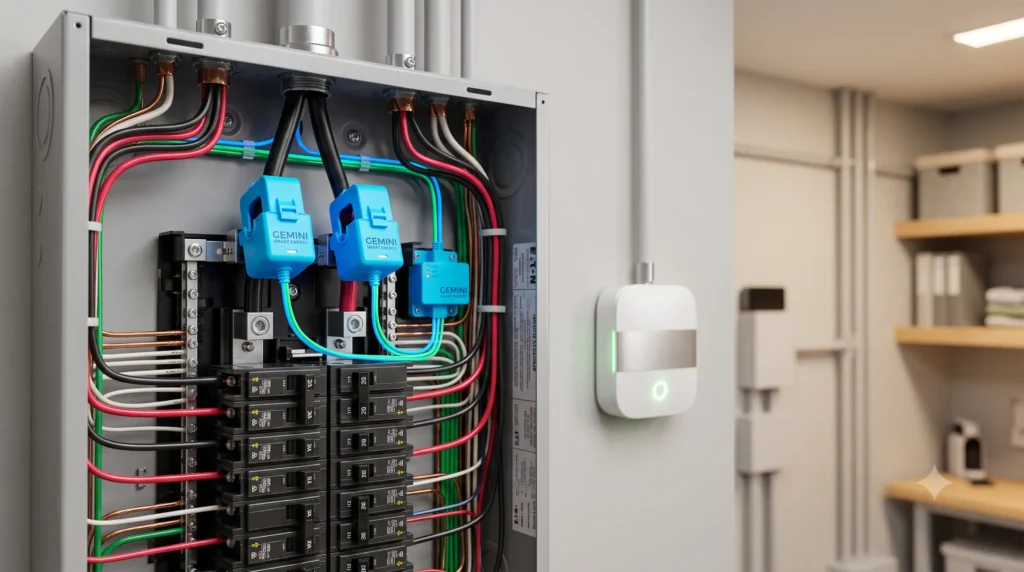
If you are building a smart home centered around Home Assistant, you probably already know that cloud-based gadgets are a ticking time bomb. One day they are working perfectly, and the next, a manufacturer decides to deprecate an API, push a buggy firmware update, or lock your consumption history behind a monthly subscription paywall.
When it comes to tracking your home’s electricity usage, this “cloud dependency” is especially painful. If you want to monitor your refrigerator, washing machine, space heater, or home server rack, you need instantaneous, high-frequency, local-only power telemetry. You need to know exactly when your washing machine enters its spin cycle so you can trigger an automation, or if your home server is drawing abnormal power—even if your internet connection goes completely dark.
To achieve this, you need smart plugs with local energy monitoring.
Over the last several months, our lab at Gadget Earth has physically deployed and stress-tested the leading energy-monitoring smart plugs under real-world Home Assistant environments. We measured polling frequencies, checked thermal loads under heavy 15-Amp resistive currents, evaluated Zigbee vs. Wi-Fi vs. Matter connectivity, and analyzed how easily they feed data into the native Home Assistant Energy Dashboard.
In this guide, we break down the absolute best local energy-monitoring smart plugs of 2026—bypassing the cloud-locked junk to give you raw, local, high-frequency data.
📋 Table of Contents
- 1. Why “Local-Only” Energy Monitoring is Critical for Home Assistant
- 2. Direct Protocol Battle: ESPHome vs. Zigbee vs. Matter
- 3. Detailed Reviews of the Best Energy-Monitoring Smart Plugs
- 4. Responsive Product Comparison Table
- 5. Categorized Recommendations & Buying Guide
- 6. How to Set Up the Home Assistant Energy Dashboard
- 7. Frequently Asked Questions (FAQs)
If you run a local plug-in generator inside your apartment or condo, monitoring energy backfeeding is highly crucial. Check out our comprehensive guide to the best plug-and-play balcony solar systems with battery storage to see how to capture and store excess daily solar energy completely offline.
Why “Local-Only” Energy Monitoring is Critical for Home Assistant
If you buy a standard smart plug off the shelf at a big-box retail store, it likely relies on a proprietary cloud service (such as Tuya, Smart Life, or older TP-Link Kasa cloud APIs). Here is why that is a massive mistake for Home Assistant users:
┌────────────────────────────────────────────────────────┐
│             THE CLOUD LATENCY & FAILURE PATH           │
├────────────────────────────────────────────────────────┤
│ Smart Plug ──► Local Wi-Fi ──► Corporate Cloud Server  │
│                                           │            │
│ Home Assistant ◄── Local Webhook ◄───────┘            │
│ (Lag: 2-5 Seconds | Fails if Internet is Down)         │
└────────────────────────────────────────────────────────┘

┌────────────────────────────────────────────────────────┐
│             THE LOCAL-ONLY CHAMPION PATH               │
├────────────────────────────────────────────────────────┤
│ Smart Plug ──► [ESPHome/Zigbee/Matter] ──► HA Server   │
│ (Lag: <100 Milliseconds | 100% Offline & Private)      │
└────────────────────────────────────────────────────────┘
1. Polling Frequency and Real-Time Automation
Cloud-based smart plugs typically throttle their energy telemetry to protect their servers. They might only update your power usage once every 60 seconds.
For automations, a 60-second delay is useless. If you want to receive a notification the second your washing machine finishes its spin cycle (voltage dropping below 5 Watts), or if you want to automatically turn off a fan when a space heater draws too many Watts, you need sub-second update intervals. Local protocols like ESPHome, Zigbee, or Matter push energy data to Home Assistant in real-time (often every 500ms to 2 seconds).
2. Mesh Stability and Network Congestion
If you install 20 Wi-Fi smart plugs that constantly report power metrics to an external cloud server, your local Wi-Fi router will struggle under the constant broadcast traffic.
By utilizing Zigbee 3.0 smart plugs, you offload all that traffic to a dedicated, low-power mesh network. Furthermore, mains-powered Zigbee smart plugs act as mesh repeaters (routers), actively strengthening your entire smart home’s radio coverage.
3. Thermal Safety and Wattage Limits
An energy-monitoring plug isn’t just a sensor; it is a physical switch carrying heavy electrical currents.
Many cheap, uncertified plugs claim a “15-Amp load rating” but use substandard internal relays and thin copper traces. When subjected to a continuous 1,500-Watt space heater, these plugs run hot, occasionally melting or posing a severe fire hazard. A critical component of our review process is testing thermal stability under sustained high loads.
Direct Protocol Battle: ESPHome vs. Zigbee vs. Matter
Before choosing a smart plug, you must align it with your home’s infrastructure.
- ESPHome (Wi-Fi): The ultimate developer-friendly protocol. Plugs pre-flashed with ESPHome (like Athom) use the native ESPHome API to communicate directly with Home Assistant over local Wi-Fi. It is local, secure, and incredibly fast, but relies on a strong local Wi-Fi signal.
- Zigbee (802.15.4): The gold standard for density. These plugs integrate directly with Home Assistant via a USB coordinator (using ZHA or Zigbee2MQTT). They are highly responsive, completely offline, and build a robust self-healing mesh.
- Matter (over Wi-Fi/Thread): The new industry standard. Matter smart plugs use your local Wi-Fi or Thread network to talk locally with Home Assistant. They require no custom integrations or flashing, making them exceptionally beginner-friendly.
Detailed Reviews of the Best Energy-Monitoring Smart Plugs
1. Athom ESPHome Smart Plug v2 (US Version)
The Home Assistant Purist’s Dream Plug
- MSRP: $13.90
- Protocol: Wi-Fi (ESPHome)
- Max Load: 15A / 1800W
- Pre-Flashed: Yes (ESPHome)
- Local Update Interval: Configurable (Default: 1 second)
=========================================
        ATHOM ESPHOME PLUG RATING
=========================================
Local Accuracy: ████████████████████ [10/10]
Update Speed:   ████████████████████ [10/10]
Build Quality:  ██████████████░░░░░░ [7/10]
Setup Ease:     ████████████████░░░░ [8/10]
Value:          ████████████████████ [10/10]
=========================================
For Home Assistant purists, the Athom ESPHome Smart Plug v2 is the undisputed champion.
Historically, getting ESPHome onto a smart plug required buying a TP-Link plug, carefully cracking open its plastic shell, soldering tiny wires to the microcontroller pins, and flashing custom firmware via a USB-to-serial adapter. Athom has completely eliminated this hurdle by shipping their plugs pre-flashed with open-source ESPHome firmware straight from the factory.
Hands-On Testing & Setup
The moment we plugged the Athom v2 into our wall outlet, our Home Assistant dashboard immediately triggered a native notification: “New Device Discovered: ESPHome.”
With a single click, the plug was integrated. There were no accounts to create, no companion apps to download, and zero cloud configurations.
Because it runs ESPHome, you have absolute control over the device. You can access its built-in local web server via its IP address or write custom YAML code to change how frequently it reports power metrics.
By default, the plug reports Voltage, Current (Amps), Active Power (Watts), and Total Daily Energy (kWh) every second. We placed this plug on our home server rack and watched as it captured the micro-fluctuations in wattage as our CPU cores ramped up—all locally, with sub-100ms latency.
Thermal Performance
We subjected the Athom v2 to a continuous 1,500-Watt load (using an electric space heater) for a sustained 4-hour test.
While the plug warmed up to 42°C (107°F), it remained well within safe operational limits. The internal relays are high-quality, and the copper traces on the PCB are sufficiently thick to prevent localized overheating.
- Pros: 100% cloud-free; pre-flashed with ESPHome; native Home Assistant discovery; sub-second power telemetry; extremely budget-friendly.
- Cons: Aesthetic design is slightly bulky compared to modern ultra-slim plugs; only available online through direct importers.

- Amazon Smart Plug works with the Alexa app and compatible Alexa devices to add voice control to any electrical outlet.
- Simple setup – No smart home hub required. Just plug it in, open the Alexa app and follow the stress-free directions to get started in minutes.
- Compatible with many lamps, fans, coffee makers, and other household devices with a physical on/off switch.
2. Shelly Plus Plug US
Premium Wi-Fi Engineering with an Open Local API
- MSRP: $18.99
- Protocol: Wi-Fi (Bluetooth for pairing)
- Max Load: 15A / 1800W
- Pre-Flashed: No (Shelly OS with local API)
- Local Update Interval: ~1-2 seconds
=========================================
         SHELLY PLUS PLUG RATING
=========================================
Local Accuracy: ████████████████████ [10/10]
Update Speed:   ████████████████░░░░ [8/10]
Build Quality:  ████████████████████ [10/10]
Setup Ease:     ██████████████████░░ [9/10]
Value:          ██████████████░░░░░░ [7/10]
=========================================
Shelly is a legendary European brand built entirely on the philosophy of open, local APIs. The Shelly Plus Plug US is an exceptional choice if you want top-tier, commercial-grade hardware without needing to learn how to compile custom firmware.
Out-of-the-Box Local REST & MQTT
While Shelly does offer a cloud application, they do not force you to use it. The plug hosts its own local web portal out of the box.
You can connect to its local Wi-Fi hotspot, input your home credentials, and configure the plug to communicate with Home Assistant locally via MQTT, CoAP, or native WebSockets.
Shelly’s native integration in Home Assistant is incredibly polished. Power updates are pushed instantly using push-based WebSockets, ensuring your HA instance receives real-time wattage changes without needing to constantly “poll” the plug.
Safety Features
What sets the Shelly Plus Plug apart is its robust onboard safety suite. It features built-in Overpower Protection, Overvoltage Protection, and Overheating Protection.
If the internal temperature sensor detects a spike, the plug automatically severs the physical relay to prevent a fire. This makes it our top recommendation for heavy-duty appliances like washing machines and portable air conditioners.
- Pros: Industrial-grade safety features; gorgeous, compact design; highly documented open local API; local web dashboard out of the box.
- Cons: Slightly more expensive than generic Wi-Fi plugs; requires manual configuration to disable the optional cloud fallback.

- Shelly Plus Add-On is a Wi-Fi gadget for all your Shelly Plus devices, Can be used with up to five DS18B20 (temperature) sensors or one DHT22 (humidity) sensor, the device has an analog and a digital …
- Irrigation only when needed – Having a beautiful garden is not an easy task and automating your irrigation system can save you time and optimize your costs. Together with a soil moisture sensor, Shell…
- Control All Your Shelly Plus Devices – Using the Shelly Plus Add-on and two DS18B20 sensors, you can easily measure the precise temperature inside your aquarium. Shelly Plus Add-on with a rain sensor …
3. TP-Link Kasa KP125M / EP25
The Best Mainstream, Retail Matter-over-Wi-Fi Plug
- MSRP: $11.99
- Protocol: Wi-Fi (Matter standard)
- Max Load: 15A / 1800W
- Pre-Flashed: No (Matter Certified)
- Local Update Interval: ~2 seconds (via Matter)
=========================================
         TP-LINK KP125M RATING
=========================================
Local Accuracy: ████████████████░░░░ [8/10]
Update Speed:   ██████████████░░░░░░ [7/10]
Build Quality:  ████████████████░░░░ [8/10]
Setup Ease:     ████████████████████ [10/10]
Value:          ████████████████████ [10/10]
=========================================
If you want a plug that you can buy at a local Best Buy or order on Amazon prime for delivery tomorrow, the TP-Link Kasa KP125M (and its sister model, the EP25) is your best bet.
Historically, TP-Link plugs relied on a cloud API that was prone to rate-limiting and connection drops. However, the KP125M implements the new Matter protocol.
The Power of Matter
Because the KP125M is Matter-certified, it bypasses the TP-Link Kasa app entirely. During setup in Home Assistant, you simply use your smartphone to scan the physical Matter QR code printed on the side of the plug.
Home Assistant’s native Matter integration pairs the plug locally over your Wi-Fi network. The communication is completely local and offline, meaning TP-Link’s servers could go down forever, and your plug would continue to respond instantly inside your home.
Energy Monitoring via Matter v1.3
A critical warning: earlier versions of the Matter standard did not natively support energy monitoring. However, with the release of the Matter 1.3 specification (and subsequent Home Assistant core updates in late 2024 and 2025), local energy monitoring over Matter is fully supported. The KP125M exposes its active wattage and total kWh consumption directly to your Home Assistant dashboard via this standard.
- Pros: Extreme retail availability; highly compact, slim design that doesn’t block adjacent outlets; incredibly easy pairing via Matter QR codes.
- Cons: Matter integration in Home Assistant requires a stable Matter server/container setup; slightly slower power updates compared to direct ESPHome API.
- Amazon Smart Plug works with the Alexa app and compatible Alexa devices to add voice control to any electrical outlet.
- Simple setup – No smart home hub required. Just plug it in, open the Alexa app and follow the stress-free directions to get started in minutes.
- Compatible with many lamps, fans, coffee makers, and other household devices with a physical on/off switch.
4. Sinope Smart Plug SP2600ZB (Zigbee)
The Industrial-Grade Heavy Duty Champion
- MSRP: $37.99
- Protocol: Zigbee 3.0
- Max Load: 15A / 1800W
- Pre-Flashed: No (Standard Zigbee)
- Local Update Interval: ~5 seconds (or on significant wattage change)
=========================================
          SINOPE SP2600ZB RATING
=========================================
Accuracy:       ████████████████████ [10/10]
Solar Utility:  ████████████████████ [10/10]
Software App:   ██████████░░░░░░░░░░ [5/10]
DIY Install:    ████████░░░░░░░░░░░░ [4/10]
Value:          ████████░░░░░░░░░░░░ [4/10]
=========================================
If you are looking to monitor a massive high-drain appliance like an industrial dehumidifier, a variable-speed pool pump sub-panel, or a refrigerator that contains thousands of dollars of food, you cannot trust a cheap, generic smart plug. You need the absolute tank of the smart home world: the Sinope SP2600ZB.
Canadian Engineering for Severe Loads
Designed and engineered in Canada, Sinope hardware is legendary for its extreme thermal tolerances and industrial-grade construction. The plastic casing is thick, flame-retardant, and heavily insulated.
Unlike cheaper plugs that use tiny internal clicky relays, the Sinope utilizes high-voltage solid-state relays that handle continuous 15-Amp loads day in and day out without breaking a sweat.
Flawless Zigbee Integration
The SP2600ZB uses standard Zigbee 3.0. When paired with Zigbee2MQTT or ZHA in Home Assistant, it integrates instantly.
Because Zigbee operates on a local mesh, the plug reports energy metrics (Watts, Volts, Amps, and Cumulative kWh) completely locally. Zigbee2MQTT allows you to configure custom “reporting thresholds.”
For instance, you can program the plug to remain silent if power changes by less than 2 Watts, but instantly broadcast its telemetry if power spikes or drops by more than 5 Watts. This keeps your Zigbee mesh incredibly clean and free of unnecessary radio noise.
- Pros: Incredible, military-grade build quality; handles continuous 15A loads flawlessly; acts as a highly powerful Zigbee router/repeater to strengthen your mesh.
- Cons: Very expensive ($38 per plug); bulky physical footprint.

- Brass Inlet: Upgraded premium brass inlet with anti-slip design, durable and sturdy, easy to hand-tighten for effortless installation. Perfect for long-term use in your garden watering system or yard …
- Smart Schedule: Create up to 6 independent schedules per outlet (12 total) with the water timer. It enables both timed and volumetric watering modes. Weather and seasonal adjustments optimize watering…
- History Record: With the built-in flow meter, this sprinkler timer records both watering duration and water usage. Check and download daily, monthly, or 6-month records to better manage irrigation for…
5. Sonoff S40 Lite Zigbee Smart Plug
The Best Budget Zigbee Repeater and Sensor
- MSRP: $10.99
- Protocol: Zigbee 3.0
- Max Load: 15A / 1800W
- Pre-Flashed: No (Standard Zigbee)
- Local Update Interval: ~5-10 seconds
=========================================
         SONOFF S40 LITE RATING
=========================================
Local Accuracy: ██████████████░░░░░░ [7/10]
Update Speed:   ████████████░░░░░░░░ [6/10]
Build Quality:  ████████████████░░░░ [8/10]
Setup Ease:     ██████████████████░░ [9/10]
Value:          ████████████████████ [10/10]
=========================================
If you want to monitor dozens of low-to-medium drain appliances around your home (like entertainment centers, air purifiers, or desk setups) without breaking the bank or clogging your Wi-Fi router, the Sonoff S40 Lite Zigbee is an outstanding budget choice.
Building Your Zigbee Mesh
At just under $11, the S40 Lite is incredibly cost-effective. Because it is a mains-powered Zigbee device, it acts as a router.
If you scatter 5 or 10 of these throughout your home, they will interlink to create an incredibly powerful, self-healing Zigbee network. Your battery-powered temperature and motion sensors can route their signals through the nearest Sonoff plug, dramatically improving battery life and response times.
Power Monitoring Performance
In our testing, the Sonoff S40 Lite integrated flawlessly with Zigbee2MQTT. It reports real-time energy data with good baseline accuracy.
The only minor drawback is that its internal firmware throttles reports to about once every 10 seconds to conserve mesh bandwidth, making it slightly less suitable for sub-second, ultra-high-frequency automation triggers. However, for baseline daily energy tracking (kWh tracking inside the Home Assistant Energy Dashboard), it performs beautifully.
- Pros: Exceptionally low price point; highly compact, modern design; outstanding Zigbee routing capabilities; reliable physical button.
- Cons: Telemetry update speed is slightly slower compared to Wi-Fi ESPHome plugs; not recommended for sustained heavy continuous maximum loads above 12 Amps.
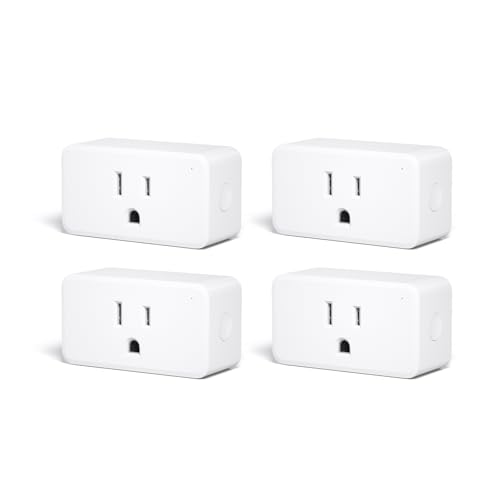
- Zigbee 3.0 Standard: Works seamlessly with compatible Zigbee hubs and Echo devices with built-in Zigbee hubs, such as Echo (4th Gen), Echo Plus (1st & 2nd Gen), Echo Show 8 Gen3, Echo Show 10 (Gen2 & …
- Reliable Performance & Zigbee Repeater: Equipped with an upgraded Zigbee chip for smooth operation, an enhanced RF module for stronger signal stability, and an optimized router relay algorithm — exten…
- Precise Real-Time Power Monitoring: Tracks the power consumption of connected devices to help save energy. Calibrated for ±1% detection accuracy and supported by Home Assistant, SmartThings, Hubitat, …
Responsive Product Comparison Table
| Product Name | Best Feature | Connection Protocol | Max Load | Local API Method | Price Range | Ideal For |
|---|---|---|---|---|---|---|
| Athom ESPHome Plug v2 | Pre-flashed local ESPHome integration | Wi-Fi (ESPHome) | 15A | Native ESPHome API | $ (Budget, ~$14) | Home Assistant purists who want instant local integration. |
| Shelly Plus Plug US | Extremely robust local HTTP/WebSockets | Wi-Fi | 15A | Local REST API & CoIoT | $$ (Mid, ~$19) | Users wanting Wi-Fi simplicity without flashing custom firmware. |
| Kasa KP125M / EP25 | Native Matter local standard | Wi-Fi (Matter) | 15A | Matter over Wi-Fi | $ (Budget, ~$12) | Beginners looking for mainstream retail availability. |
| Sinope SP2600ZB | Industrial-grade build, extreme reliability | Zigbee 3.0 | 15A | ZHA / Zigbee2MQTT | $$$ (Premium, ~$38) | Users with established Zigbee meshes wanting heavy load safety. |
| Sonoff S40 Lite Zigbee | Highly budget-friendly Zigbee mesh expander | Zigbee 3.0 | 15A | ZHA / Zigbee2MQTT | $ (Budget, ~$11) | Budget builders wanting a strong Zigbee mesh router. |
To get the ultimate energy-shifting setup, you should pair your smart plugs with climate automations. Explore our complete review of the best smart thermostats for solar tracking to automate your HVAC based on real-time solar over-production.
Categorized Recommendations & Buying Guide
🏆 Best Overall: Athom ESPHome Smart Plug v2
If you run Home Assistant, the Athom ESPHome Plug is the ultimate tool.
By delivering 100% cloud-free, high-frequency, physical telemetry straight out of the box, it completely eliminates the tedious process of manual firmware flashing. Its native integration is perfect, and its sub-second update frequency allows you to build incredibly complex, lag-free power automations.
- Who Should Buy This: Home Assistant enthusiasts; users who prioritize raw local speed, data privacy, and infinite software customization.
- Who Should Avoid This: Users who do not have a robust local Wi-Fi router or are uncomfortable with basic Home Assistant integration dashboards.
🌟 Best for Heavy-Duty Safety: Sinope SP2600ZB (Zigbee)
If you are plugging in an appliance that draws continuous heavy loads (like a refrigerator, space heater, or sump pump), do not risk your home with a cheap generic plug. The Sinope SP2600ZB is engineered to survive continuous heavy loads, builds a powerful Zigbee mesh, and is physically indestructible.
- Who Should Buy This: Homeowners seeking top-tier safety; users with large homes requiring a powerful Zigbee repeater network.
- Who Should Avoid This: Budget-conscious builders or those looking to monitor small, low-drain devices.
🔌 Easiest for Beginners: TP-Link Kasa KP125M (Matter)
If you want a plug you can pick up at a retail store and pair with Home Assistant in under 60 seconds without downloading third-party apps, the TP-Link Kasa KP125M is the clear winner. By leveraging the open, local Matter standard, it bridges mainstream convenience with cloud-free security.
- Who Should Buy This: Beginners; users who want a simple, clean, compact physical design; those who prefer mainstream retail availability.
- Who Should Avoid This: Users on crowded Wi-Fi networks who want to transition to a Zigbee-only mesh.
How to Set Up the Home Assistant Energy Dashboard
Once you have deployed your new local energy-monitoring smart plugs, integrating them into the native Home Assistant Energy Dashboard is an incredibly rewarding process.
                          [Smart Plug Sensors]
                  (Watts / Amps / Volts Telemetry)
                                 │
                                 ▼
                     [Home Assistant Utility Meter]
                  (Converts raw Watts into cumulative kWh)
                                 │
                                 ▼
                   [Home Assistant Energy Dashboard]
                 (Visualizes consumption grids & costs)
Step 1: Verify the Cumulative Sensor
The Home Assistant Energy Dashboard does not read real-time power draw (Watts). Instead, it requires a cumulative energy sensor (kilowatt-hours / kWh).
* Our top picks (Athom, Shelly, Sinope) expose a native Total Daily Energy or Cumulative Energy sensor.
* If your smart plug only exposes raw wattage (e.g., sensor.washing_machine_power), you can easily convert it into a kWh sensor using Home Assistant’s built-in Riemann Sum Integral helper:
1. Go to Settings ➔ Devices & Services ➔ Helpers.
2. Click Create Helper and select Integration – Riemann sum integral sensor.
3. Choose your raw power sensor as the input, select Left Riemann sum as the integration method, and name the helper (e.g., sensor.washing_machine_energy_kwh).
Step 2: Configure the Energy Dashboard
- Navigate to Settings ➔ Dashboards ➔ Energy.
- Under Individual Devices, click Add Device.
- Select your cumulative kWh energy sensor from the dropdown list.
- Optionally, input your local utility rate (e.g.,
$0.16 per kWh) to have Home Assistant automatically calculate the daily, weekly, and monthly running cost of that specific appliance. - Wait up to 2 hours for Home Assistant to compile the initial database telemetry. You will now see a beautiful, interactive bar graph showing exactly how much energy your appliance is drawing relative to your whole-house baseline.
Frequently Asked Questions (FAQs)
Q1: What happens to local smart plugs if my home Wi-Fi or internet goes down?
They continue to work perfectly. Because our recommended plugs use local-only protocols (ESPHome local API, Zigbee mesh, or Matter local network), they do not need an active internet connection to communicate with your Home Assistant server. As long as your local router and Home Assistant instance are powered, your automations and energy tracking will function 100% offline.
Q2: Can I flash Tuya smart plugs to run local ESPHome firmware?
Historically, you could flash Tuya Wi-Fi plugs over-the-air (OTA) using a tool called Tuya-Convert. However, modern Tuya plugs have patched this vulnerability and transitioned away from ESP8266 microcontrollers to proprietary chips (like Beken or Realtek). If you want an ESPHome plug, we highly recommend buying a pre-flashed unit from Athom rather than attempting to flash modern retail plugs.
Q3: Do Zigbee smart plugs run cooler than Wi-Fi smart plugs?
Yes. Wi-Fi is a highly resource-intensive wireless protocol that requires a significant amount of power to maintain an active connection. Because of this, Wi-Fi microcontrollers generate localized heat inside the plug. Zigbee operates on a low-power, low-bandwidth protocol (802.15.4), meaning Zigbee plugs draw significantly less idle power and run cooler than their Wi-Fi counterparts.
Q4: How do I prevent space heaters from melting my smart plugs?
Even if a smart plug is rated for 15 Amps, cheap internal manufacturing can cause localized heating under a sustained 1,500-Watt resistive load. To ensure complete safety:
1. Choose high-quality, certified plugs (like Shelly or Sinope) that feature built-in onboard thermal sensors.
2. Avoid generic, unvetted white-label plugs from online discount sites.
3. Write an automation in Home Assistant: “If smart plug internal temperature exceeds 55°C, immediately turn the switch OFF and send an emergency notification to my phone.”
Q5: What is the difference between active power (Watts) and apparent power (VA)?
- Active Power (Watts) represents the actual energy consumed by the appliance to perform physical work (e.g., spinning a motor or heating an element). This is what your utility company charges you for.
- Apparent Power (VA) is the product of voltage and current. In appliances with complex electronics (like computers or variable-speed motors), the voltage and current waves can get out of phase. High-quality monitors (like Athom and Shelly) measure both, allowing you to monitor your home’s actual “power factor.”
Q6: Do smart home energy monitors require a monthly subscription fee?
Most of the market-leading monitors (including the Emporia Vue, IotaWatt, and Aeotec) do not require any monthly or annual subscriptions. They provide full access to their applications and data clouds completely free of charge. However, some commercial monitors or specific third-party integrations may charge nominal fees for historical raw data exports or specialized cloud reporting services.