If you are running a grid-tied solar system on your house, you have probably realized that the relationship with your utility company is not a fair partnership. Under modern Net Metering rules (like California’s NEM 3.0), the utility company buys your solar electricity during the day for pennies on the dollar, only to sell it back to you at night for premium peak rates.
To maximize the return on your solar investment, you must practice Time-of-Use (TOU) load shifting.
Instead of exporting cheap solar energy to the grid, you need to consume it locally when your panels are producing, and shed heavy appliance loads when grid rates spike. And because heating and cooling represent over 50% of an average home’s utility bill, your single most powerful weapon in this battle is a smart thermostat with solar tracking and TOU optimization.
In this comprehensive, engineer-grade guide, we review the absolute best smart thermostats on the market, explain the physics of using your home as a thermal battery, and show you how to automate your climate controls directly inside Home Assistant to slash your utility costs.

📋 Table of Contents
- 1. The Physics of Thermal Battery Storage: Pre-Cooling and Pre-Heating
- 2. How Smart Thermostats Automate TOU Optimization
- 3. Detailed Reviews of the Best Smart Thermostats
- 4. Responsive Product Comparison Table
- 5. Comprehensive Smart Thermostat Buying Guide
- 6. How to Set Up Home Assistant TOU Automations
- 7. Frequently Asked Questions (FAQs)
While pre-cooling your house is an exceptional way to use thermal mass, managing real-time generation from smaller local systems is equally vital. Explore our complete hands-on guide to plug-and-play balcony solar systems with battery storage to offset your baseline loads without needing structural landlord permissions.
The Physics of Thermal Battery Storage: Pre-Cooling and Pre-Heating
When solar owners think of “battery storage,” they usually imagine expensive lithium-iron-phosphate (LiFePO4) battery packs mounted in their garages. But there is a much cheaper, highly effective alternative: thermal battery storage.
    [🌞 Bright Noon Sun] ──► [☀️ Solar Panels Over-Producing]
                                     │
                                     ▼
                      [🏠 House is Pre-Cooled to 68°F]
                     (Stored Cold Energy in Drywall/Furniture)
                                     │
                                     ▼
    [🌇 Peak Hour Spikes] ──► [❄️ HVAC Remains Switched OFF]
                  (No expensive grid power imported!)
What is a Thermal Battery?
Your home is not a vacuum; it consists of hundreds of tons of thermal mass—drywall, concrete foundation, wood framing, furniture, and internal air volumes. All of these materials can store thermal energy.
By shifting your HVAC schedule to sub-cool your home when your solar panels are producing excess electricity, you “charge” your home’s thermal battery.
When solar production drops and utility rates spike in the evening, your smart thermostat can switch to “load-shedding” mode, allowing the house to slowly warm up to a normal baseline (e.g., 74°F). During this high-cost peak window, your air conditioner remains completely off, saving you massive import charges.
How Smart Thermostats Automate TOU Optimization
Standard thermostats only read temperature. A solar-optimized smart thermostat acts as a dynamic scheduler.
- Time-of-Use (TOU) Rates Integration: Thermostats like ecobee connect to your utility provider’s rate API to identify exact off-peak and peak rate windows automatically.
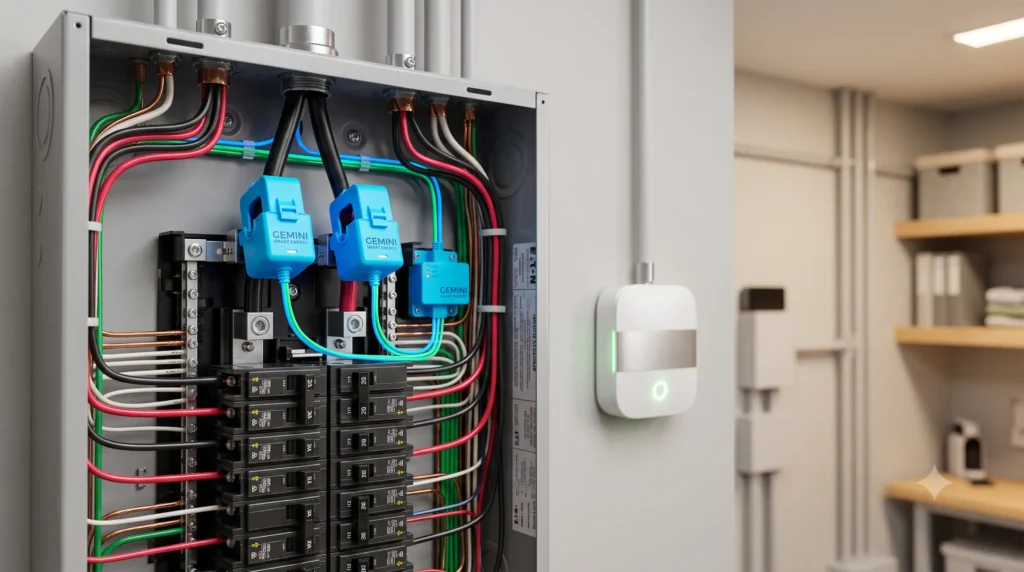
- Solar Tracking: By feeding real-time generation metrics from a smart home energy monitor or solar inverter into Home Assistant, you can dynamically override your thermostat’s schedule when solar over-production is detected.
- Local Automations: Using open local smart plugs (like the best smart plugs with local energy monitoring) alongside your thermostat, you can coordinate heavy appliance loads to run in tandem with HVAC cycles to avoid exceeding your main breaker’s safe threshold.
Detailed Reviews of the Best Smart Thermostats
The Best Overall Solar & TOU Smart Thermostat
- MSRP: $249.99
- Protocol: Wi-Fi (HomeKit local API support)
- Eco-Plus Features: Time-of-Use rate integration, clean energy tracking
- Best For: Comprehensive plug-and-play TOU rate optimization
=========================================
          ECOBEE PREMIUM RATING
=========================================
TOU Optimization: ████████████████████ [10/10]
Solar Tracking:   ████████████████░░░░ [8/10]
Local Control:    ██████████████████░░ [9/10]
Build Quality:    ████████████████████ [10/10]
Value:            ██████████████░░░░░░ [7/10]
=========================================
If you are looking for a thermostat that automatically optimizes your HVAC runtime based on your electric utility company’s complex peak schedules, the ecobee Smart Thermostat Premium is the industry leader.
Smart TOU Integration via Eco+
The standout feature for solar owners is ecobee’s proprietary Eco+ suite. By enabling Eco+, you input your utility company and your specific rate structure (such as PG&E E-ELEC or Southern California Edison TOU-D-PRIME).
The ecobee then automatically calculates your pre-cooling and pre-heating windows. It will run your air conditioner during off-peak morning hours and automatically adjust the target cooling temperature slightly higher during high-cost peak evening hours.
Native Home Assistant Integration
Unlike other mainstream brands, ecobee supports the local Apple HomeKit protocol.
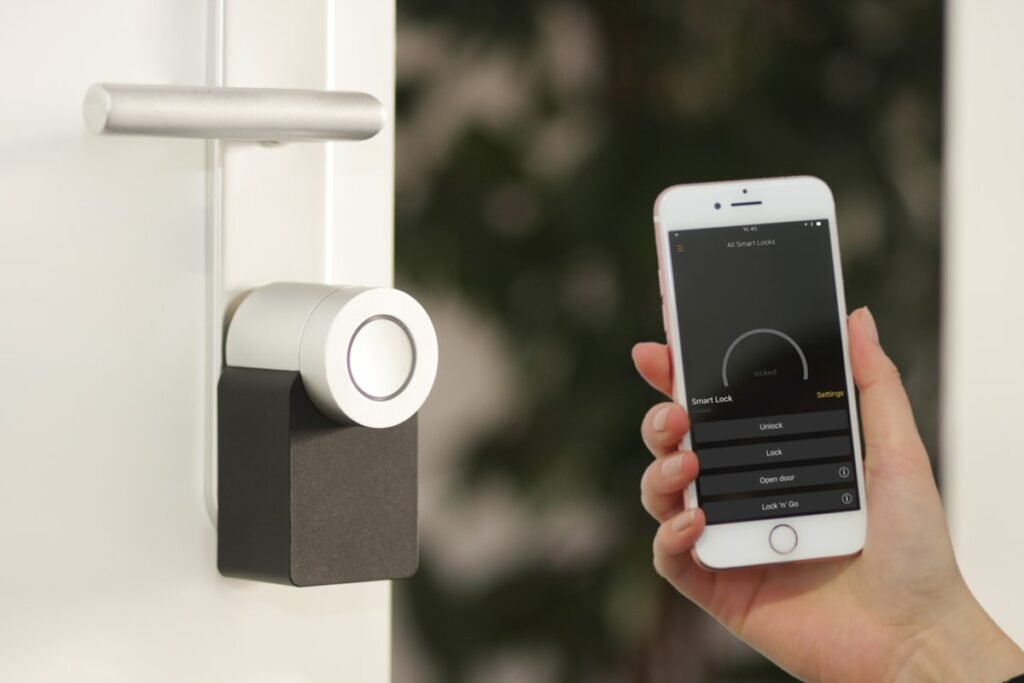
This means you can integrate the ecobee Premium directly with Home Assistant locally over Wi-Fi without connecting to ecobee’s cloud servers. All temperature, occupancy, humidity, and relay controls respond with near-zero latency, allowing for complex local automations.
- Pros: Flawless, automated TOU rate tracking; beautiful, premium brushed metal bezel; local HomeKit integration; includes high-quality remote room sensors.
- Cons: Expensive premium price tag; does not natively read solar production metrics out of the box (requires Home Assistant bridging).

- 🔍【Compatibility Pre-Check】This thermostat for house is compatible with 90% of 24V AC systems, including Conventional 2H/2C(Gas, Oil, Electric, Boiler); Heat Pump 2H/2C with Aux/Emerg. heat, and Heat o…
- 👍【Unique Large Knob】Simple but precise control – The programmable thermostat’s unique physical dial + sensitive 3.5-inch touchscreen makes temperature adjustment a breeze, and even friendly for grandp…
- 💡【Adjustable Night Light】Say goodbye to fumbling in the dark – This ac thermostats for home features a built-in dimmable night light with multi-level brightness options. It acts as a gentle guiding li…
2. Google Nest Learning Thermostat (4th Gen)
Sleek Design and Intuitive AI Schedule Learning
- MSRP: $279.99
- Protocol: Wi-Fi (Matter support)
- Eco-Features: Nest Renew (clean energy shift)
- Best For: Users wanting AI learning curves and Matter out of the box
=========================================
          NEST 4TH GEN RATING
=========================================
TOU Optimization: ████████████████░░░░ [8/10]
Solar Tracking:   ████████████░░░░░░░░ [6/10]
Local Control:    ████████████████████ [10/10]
Build Quality:    ████████████████████ [10/10]
Value:            ████████████░░░░░░░░ [6/10]
=========================================
The Google Nest Learning Thermostat (4th Gen) is a stunning piece of industrial engineering. With a beautiful domed glass front and standard, smooth-turning outer ring, it represents the modern, sleek aesthetic.
Matters of the Home
The 4th Gen Nest finally incorporates the open Matter protocol. This is a massive upgrade for Home Assistant users.
You no longer have to register a Google Developer account or pay a fee to access the Nest API cloud. You simply scan the Matter QR code on the back of the thermostat, and Home Assistant pairs it locally over your home’s Wi-Fi network.
Nest Renew & TOU
Using their Nest Renew framework, Google allows users to optimize climate schedules automatically based on utility grids. It will shift energy use to times when clean wind and solar power are abundant, helping to offset dirty energy imports during peak hours.
- Pros: Matter-certified out of the box; gorgeous dome-glass aesthetics; learns your daily habits automatically; local-only control fallback.
- Cons: Nest Renew is limited to specific ZIP codes in the US; high price point.

- Nest’s smartest, most advanced thermostat yet, the Google Nest Learning Thermostat (4th gen) is a beautiful, brilliant way to save energy, keep your home comfortable, and help make sure your heating a…
- Improved compatibility: It works with most 24V systems, including gas, electric, oil, forced air, heat pump, and radiant, and no C wire is required for installation in most homes; visit the Nest Compa…
- Easy control in the Google Home app: Adjust on your phone from anywhere[1] or by using your voice with Alexa, Siri, or Google Assistant smart speaker[3], it’s easy to install yourself and it’s Matter …
3. Sinope Smart Thermostat for Electric Heating (Zigbee)
The Ultimate Local, Off-Grid, and Heavy-Load Solution
- MSRP: $129.99
- Protocol: Zigbee 3.0
- Max Load: Line-voltage electric baseboard heating (up to 4000W)
- Best For: Direct local-only Zigbee mesh control without cloud dependency
=========================================
         SINOPE ZIGBEE RATING
=========================================
TOU Optimization: ██████████████░░░░░░ [7/10]
Solar Tracking:   ████████████████████ [10/10]
Local Control:    ████████████████████ [10/10]
Build Quality:    ████████████████████ [10/10]
Value:            ████████████████░░░░ [8/10]
=========================================
Many homes utilize high-voltage electric baseboards or radiant floor systems rather than low-voltage central forced-air HVACs. Traditional thermostats like ecobee or Nest cannot control these line-voltage systems without expensive external relays. Enter the Sinope Smart Thermostat (Zigbee).
True Local Zigbee Control
For Home Assistant users, Sinope is a beloved brand. Because it utilizes standard Zigbee 3.0, the thermostat pairs directly with your Zigbee coordinator via ZHA or Zigbee2MQTT.
The device does not have a Wi-Fi radio, does not connect to the internet, and has zero cloud dependencies. It operates entirely on your local Zigbee mesh.
Solar & TOU Tracking via Home Assistant
Sinope exposes raw climate relays, setpoints, and heating variables directly to Home Assistant.
By writing simple local automation rules, you can track your solar inverter’s real-time generation and adjust the thermostat’s setpoints instantly. If your solar panels are producing a 2,000-Watt surplus, Home Assistant can instantly tell the Sinope to raise its floor heating setpoint to 72°F, storing heat energy directly inside your concrete subfloor!
- Pros: Handles heavy line-voltage loads; open local Zigbee mesh standard; extreme build quality and safety; local Home Assistant control out of the box.
- Cons: Lacks automated TOU utility rate integration inside a proprietary app (requires writing your own schedules or automations in Home Assistant).

- White front/white sides
- 7-day programmable
- Up to 4H/2C heat pump or up to 3H/2C conventional
4. Emerson Sensi Touch Smart Thermostat
The Best Budget-Friendly TOU Option
- MSRP: $129.00
- Protocol: Wi-Fi (HomeKit local support)
- C-Wire Required: Yes
- Best For: Budget-conscious builders wanting local HomeKit control
=========================================
          SENSI TOUCH RATING
=========================================
TOU Optimization: ████████████░░░░░░░░ [6/10]
Solar Tracking:   ████████████░░░░░░░░ [6/10]
Local Control:    ████████████████░░░░ [8/10]
Build Quality:    ██████████████░░░░░░ [7/10]
Value:            ████████████████████ [10/10]
=========================================
If you want a simple, highly reliable smart thermostat that supports local smart home integration without paying premium brand tax, the Emerson Sensi Touch is an outstanding budget choice.
Clean Local Control via HomeKit
Like ecobee, the Emerson Sensi Touch supports Apple HomeKit. This means you can bypass Sensi’s cloud servers completely during installation. Home Assistant will discover the thermostat locally over Wi-Fi, allowing you to read temperature, adjust modes, and trigger automated climate schedules offline.
- Pros: Very budget-friendly; highly reliable physical build; local HomeKit integration; simple color touchscreen.
- Cons: Lacks advanced automated rate-learning algorithms; requires a physical C-wire (common wire) for power.

- 【Compatibility Pre-Check】This programmable thermostat is compatible with 90% of 24V AC systems, including Conventional 2H/2C(Gas, Oil, Electric, Boiler); Heat Pump 2H/2C with Aux/Emerg. heat, and Heat…
- 【Crisp Touchscreen & Nightlight】Enjoy an exceptional viewing experience on the 4.3″ large touchscreen, and features a gentle night light function, this smart thermostats for home ensuring perfect visi…
- 【Remote & Voice Control】Manage your home’s climate from anywhere using the Vine Thermostat or Smart Life app. Works with Alexa and Google Home to control the wifi thermostat with your voice, providing…
Responsive Product Comparison Table
| Product Name | Connection Protocol | C-Wire Required | Matter Support | Local API Method | Price Range | Ideal For |
|---|---|---|---|---|---|---|
| ecobee Premium | Wi-Fi | Yes | No | Apple HomeKit Local | $$$ (Premium, ~$250) | Plug-and-play TOU rate tracking & room sensor monitoring. |
| Nest 4th Gen | Wi-Fi | Yes | Yes (Matter) | Native Matter | $$$ (Premium, ~$280) | Design-focused users wanting local Matter integration. |
| Sinope Zigbee | Zigbee 3.0 | No (Line Voltage) | No | ZHA / Zigbee2MQTT | $$ (Mid, ~$130) | Heavy line-voltage electric heating & 100% offline meshes. |
| Emerson Sensi Touch | Wi-Fi | Yes | No | Apple HomeKit Local | $ (Budget, ~$129) | Budget-conscious buyers wanting local control. |
Comprehensive Smart Thermostat Buying Guide
Choosing the right thermostat for solar tracking requires evaluating three primary technical factors:
1. HVAC System Compatibility (Low vs. Line Voltage)
Before buying, identify what type of heating/cooling system you have:
* Low-Voltage (24V): Standard central forced-air gas furnaces, heat pumps, and AC units. They use thin copper thermostat wires (R, W, Y, G, C) and are compatible with ecobee, Nest, and Sensi.
* Line-Voltage (120V/240V): Electric baseboards, radiant ceiling panels, and electric floor heating. They use thick high-voltage wires and require specialized thermostats like Sinope.
2. The “C-Wire” (Common Wire) Necessity
Smart thermostats require constant electricity to run their color screens and Wi-Fi chips. This power is delivered via a C-wire (Common wire).
* If your old thermostat only has two wires, you do not have a C-wire. You will need to install a C-wire adapter (ecobee includes one) or buy a model that runs without one (like some battery-boosted Nest models).
3. Local Control (Matter, HomeKit, or Zigbee)
To build high-frequency, reliable solar automations, do not buy cloud-only thermostats. Ensure your model supports local connectivity:
* Matter/HomeKit allow Wi-Fi thermostats to communicate directly with Home Assistant offline.
* Zigbee/Z-Wave create dedicated meshes that completely offload traffic from your Wi-Fi router.
How to Set Up Home Assistant TOU Automations
Once your local thermostat is connected, you can automate your pre-cooling schedule based on real-time solar over-production.
                          [Solar Inverter Output]
                    (Real-time generation in Watts)
                                   │
                                   ▼
                      [Home Assistant automation]
                     (Threshold: > 2500W Surplus)
                                   │
                                   ▼
                     [Smart Thermostat Controller]
                (Triggers Pre-Cool setpoint to 68°F)
The Code: Solar-Triggered Pre-Cooling Automation
Add this blueprint automation to your Home Assistant configuration to automatically drop your thermostat’s target temperature when your solar panels are producing a massive surplus:
alias: "HVAC - Solar-Triggered Pre-Cooling"
description: "Drops thermostat target to 68°F when solar surplus exceeds 2500 Watts"
trigger:
  - platform: numeric_state
    entity_id: sensor.solar_net_export_power
    above: 2500
condition:
  - platform: time
    after: "10:00:00"
    before: "15:00:00"
action:
  - service: climate.set_temperature
    target:
      entity_id: climate.living_room_thermostat
    data:
      temperature: 68
Frequently Asked Questions (FAQs)
Q1: What is NEM 3.0 and why does it make smart thermostats so valuable?
NEM 3.0 (Net Billing Tariff) is the current solar export policy in regions like California. It slashes the credit you receive for exporting excess solar energy to the grid by up to 75%. Because exporting energy is no longer profitable, you must consume your solar energy inside your own home. A smart thermostat allows you to use your house as a thermal battery, pre-cooling it with free solar power during the day so you don’t have to import expensive electricity at night.
Q2: Do I need a C-wire to install a smart thermostat?
For most modern smart thermostats (like ecobee Premium or Emerson Sensi), yes, a C-wire is required to provide constant 24V power. If your HVAC wire bundle doesn’t have a C-wire, you can buy an external 24V transformer plug-in adapter, or install a C-wire power-adapter kit (which is included inside the box with ecobee models).
Q3: Can Home Assistant control my thermostat completely offline?
Yes, if you choose the right model. Thermostats that support local-only protocols like Apple HomeKit Local, Matter, or Zigbee (such as ecobee, Nest 4th Gen, and Sinope) communicate directly with your local Home Assistant server over Wi-Fi or Zigbee radios, continuing to process automations and temperature schedules even when your fiber/broadband internet connection is completely down.