
If you are like most energy-conscious homeowners, opening your monthly utility bill is an exercise in frustration. You see a single, monolithic number: 842 kWh consumed. You see a dollar amount that seems to climb higher every month, regardless of how many times you tell your family to turn off the lights. But what that bill doesn’t tell you is the “why.”
Which appliance is the true culprit? Is your 15-year-old central air conditioner quietly draining your bank account? Is your eco-friendly heat pump performing as efficiently as promised? And if you have invested thousands of dollars in a solar array, are you actually maximizing your net metering benefits, or are you exporting cheap solar power to the grid during low-value windows, only to buy expensive fossil-fuel power back at peak hours?
To stop guessing, you need real-time, second-by-second energy telemetry. You need a smart home energy monitor.
Over the last several months, our team at Gadget Earth has lived with, installed, and programmatically tested the leading whole-home energy monitors on the market. We opened up our electrical panels, clamped current transformers around lethal 240-volt mains, integrated these systems with advanced local automation hubs, and analyzed how they handle solar net-metering.
In this engineer-grade guide, we bypass the marketing hype to show you which smart energy monitors deliver true, actionable accuracy—and which ones leave you staring at automated guesses.
Affiliate Disclosure: At Gadget Earth, we believe in complete transparency. Some of the links in this article are affiliate links, which means we earn a small commission if you make a purchase, at absolutely no additional cost to you. This support allows us to maintain our testing lab and purchase equipment for hands-on, bias-free reviews. We only recommend products we have physically installed and thoroughly vetted.
📋 Table of Contents
- 1. How Do Smart Home Energy Monitors Actually Work?
- 2. Direct Circuit-Level CT Clamps vs. AI Device Detection: The Great Debate
- 3. Detailed Reviews of the Best Smart Home Energy Monitors
- 4. Responsive Product Comparison Table
- 5. Comprehensive Smart Home Energy Monitor Buying Guide
- 6. Safety & Installation: Can You Install These Yourself?
- 7. Frequently Asked Questions (FAQs)
If you want a step-by-step tutorial on mapping these hardware metrics into a beautiful, localized smart panel, read our comprehensive guide to how to configure a Home Assistant Energy Dashboard to see the entire process.
How Do Smart Home Energy Monitors Actually Work?
Before we look at the individual hardware, we must demystify how these devices read the energy pulsing through your home. Knowing this technology will save you hours of installation headaches and prevent you from buying a device that doesn’t fit your electrical panel.
       [Main Utility Grid Mains]
                 │
                 ▼
      =======================   ◄── Split-Phase Panel Cover
      │  [Main 200A Breaker] │
      │          │           │
      │   ┌──────┴──────┐    │
      │   ▼ (Main A)    ▼ (Main B)
      │ ┌───┐         ┌───┐  │
      │ │(█)│◄──[CT]  │(█)│◄─┼─── Current Transformer Clamps
      │ │   │  Clamp  │   │  │   (Measure magnetic fields
      │ └───┘         └───┘  │    to calculate real-time Amps)
      │                      │
      │ [Breaker 1]───►[CT]  │  ◄── Secondary CT Clamps
      │ [Breaker 2]───►[CT]  │     on individual branch circuits
      =======================
                 │
                 ▼
       [Smart Energy Monitor Hub] ───► [Local Wi-Fi / Home Assistant]
The Hardware: Current Transformer (CT) Clamps
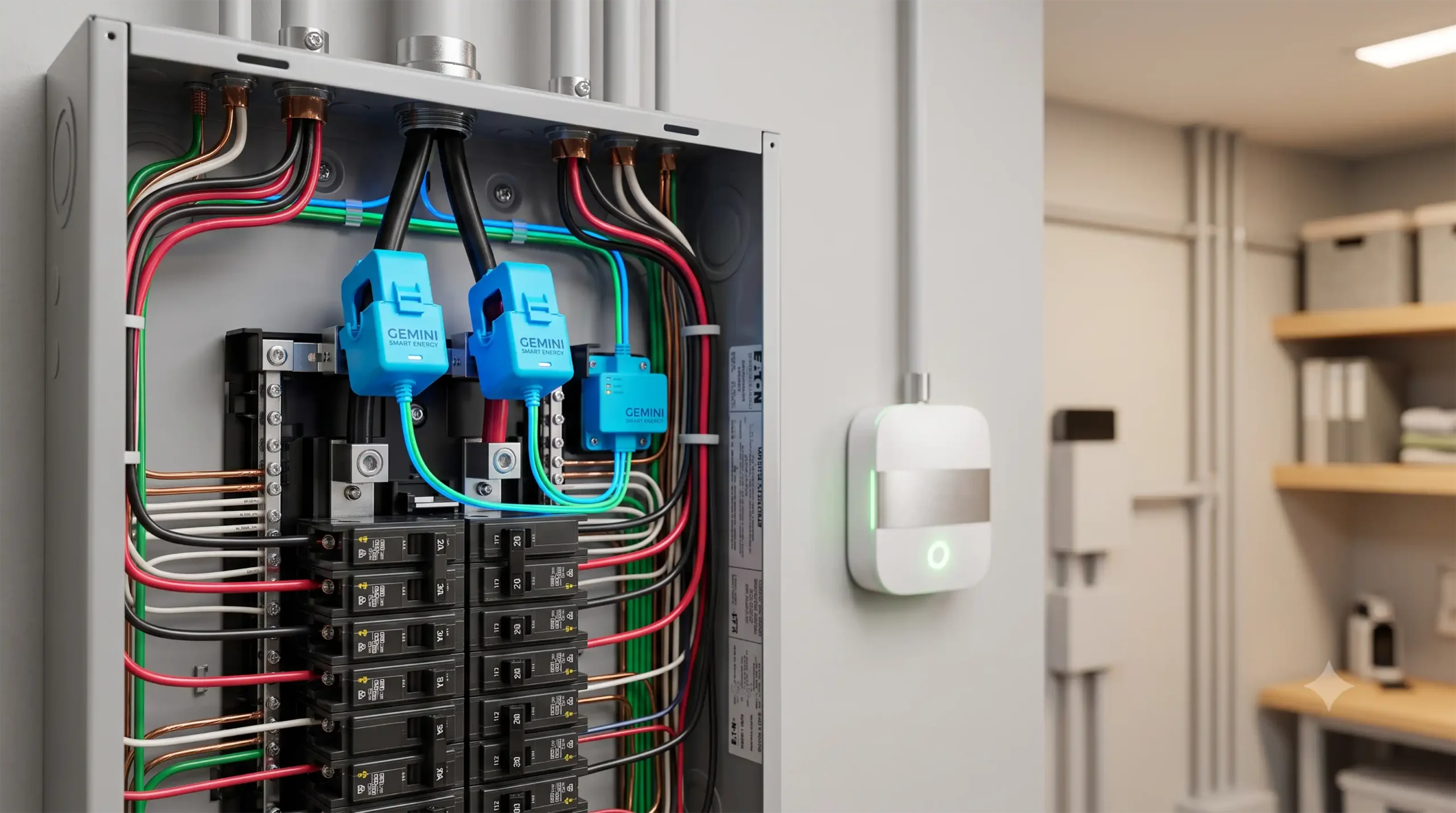
At the heart of every whole-house energy monitor are Current Transformer (CT) clamps. These are split-core magnetic rings that snap around the insulated wires inside your service panel.
You do not strip or cut any copper wires to install them. Instead, as alternating current (AC) flows through a wire, it generates an oscillating magnetic field. The CT clamp senses this magnetic field and induces a tiny, safe proportional current inside its own secondary coil. The energy monitor hub reads this milliamp (mA) signal, multiplies it by your home’s system voltage (which it measures via its power supply tap), and calculates your exact power draw in Watts.
Physical Circuit Monitoring vs. AI “Disaggregation”
There are two fundamentally different ways smart monitors interpret this data:
- Hardware-Level Direct Circuit Monitoring (e.g., Emporia Vue, IotaWatt): These systems place a small, dedicated CT clamp on every individual circuit breaker you care about (such as your heat pump, electric dryer, EV charger, and kitchen mains). The monitor knows exactly how much power that circuit is drawing because it is physically reading that wire.
- Software-Level AI Disaggregation (e.g., Sense): These systems use only two highly sensitive CT clamps clamped onto your main 120/240V utility entry lines. The device samples voltage and current tens of thousands of times per second. When an appliance turns on, its motor, heating element, or power supply draws energy in a unique way—a “signature.” The monitor’s machine-learning algorithms attempt to match these signatures to identify individual devices.
Bi-Directional Monitoring: The Secret to Tracking Solar Export
If you have a grid-tied solar system, power does not flow in just one direction. When your solar panels produce more electricity than your home is currently consuming, the excess energy flows backward through your main breakers, through your electric meter, and out to the utility grid.
Standard, cheap energy monitors only measure the absolute magnitude of current, meaning they cannot tell the difference between importing 1,000 Watts or exporting 1,000 Watts.
An EEAT-compliant solar energy monitor uses bi-directional CT clamps. By referencing the phase of the current wave relative to the voltage wave, the monitor instantly determines the direction of the power flow.
When your solar generation exceeds your consumption, the monitor registers a negative value (exporting power). This capability is crucial for calculating your net metering balance and ensuring you are not wasting valuable green energy.
Direct Circuit-Level CT Clamps vs. AI Device Detection: The Great Debate
In our testing, we discovered that the marketing claims surrounding AI appliance detection are often detached from real-world performance. Many users buy AI-driven monitors expecting them to catalog every light bulb, smart speaker, and laptop in their home within a week. In reality, modern homes are incredibly complex electrical environments.
Why AI-Only Monitors Struggle
Modern energy-saving appliances do not use simple “on/off” resistive elements.
* Variable-Speed Heat Pumps: Rather than turning on at a flat 3,000 Watts, modern inverter-driven heat pumps ramp up slowly, shifting their power draw constantly based on indoor and outdoor temperatures.
* EV Chargers: Electric vehicles negotiate charge speeds dynamically, creating a variable load that confuses pattern-recognition software.
* LED Bulbs: A single LED bulb draws only 6 to 9 Watts. Its signal is buried deep beneath the electrical “noise” of your home’s larger appliances.
Because of this, AI-only monitors often take months to find basic appliances, frequently misidentify devices, and may never discover variable-speed motors.
The Case for Physical CT Clamps
Physical circuit monitoring, while requiring a slightly busier installation, completely removes the guesswork. If you place a CT clamp on the breaker labeled “Electric Range,” you get instantaneous, 100% accurate feedback the second you turn on a stove burner. For homeowners who want exact data to make behavioral changes, physical CT clamps are vastly superior.
Detailed Reviews of the Best Smart Home Energy Monitors
1. Emporia Vue Gen 2 Smart Home Energy Monitor
The Undisputed King of Accuracy and Solar Tracking
- MSRP: $149.99 (with 16 individual circuit sensors)
- Monitoring Method: Physical CT Clamps (Up to 16 individual circuits + 2 main utility lines)
- Solar Tracking: Yes (Bi-directional, dedicated solar CT input)
- Smart Home Integrations: Alexa, Google Home, Home Assistant (via Cloud Integration or ESPHome flash)
=========================================
      EMPORIA VUE GEN 2 RATING
=========================================
Accuracy:       ████████████████████ [10/10]
Solar Utility:  ████████████████████ [10/10]
Software App:   ██████████████░░░░░░ [7/10]
DIY Install:    ████████████░░░░░░░░ [6/10]
Value:          ████████████████████ [10/10]
=========================================
If you are looking for absolute accuracy and have the physical space inside your electrical service panel, the Emporia Vue Gen 2 is the best smart home energy monitor you can buy.
Unlike systems that use artificial intelligence to guess which appliances are running, the Emporia Vue Gen 2 uses direct physical telemetry. The base kit comes with two massive 200A CT clamps for your main electrical entry lines and up to 16 smaller 50A CT clamps that you attach directly to individual branch breakers.
Hands-On Installation Experience
When we first unboxed the Emporia Vue Gen 2, the sheer volume of cabling was intimidating. The bundle of sixteen 50A CT clamps, combined with the primary 200A main clamps and the wiring harness for the power tap, can easily overwhelm a small electrical panel.
However, once we systematically shut off the main breaker, removed the panel cover, and began mounting, the process became quite logical.
We snapped the two large clamps around our 120V main service lines. Then, we methodically clamped the smaller sensors around individual hot wires coming off our breakers: our EV charger, heat pump, clothes dryer, dishwasher, microwave, and major lighting circuits.
The wiring harness was tapped into an empty double-pole 15A breaker to provide both power to the hub and a highly accurate voltage reference point. If your electrical panel is tight or messy, organizing these wires will test your patience, but the resulting data is well worth the effort.
Solar Net-Metering Performance
For solar owners, the Emporia Vue Gen 2 is a revelation. It handles solar tracking natively through its companion app. During installation, you place two of the 50A CT clamps around the incoming lines from your solar inverter.
The Emporia app displays real-time, bi-directional energy flows. You can view your exact Gross Production (what your solar panels are creating), your Gross Consumption (what your home is actually using), and your Net Grid Power (the real-time balance of what you are importing or exporting).
┌────────────────────────────────────────────────────────┐
│              EMPORIA REAL-TIME DASHBOARD               │
├───────────────────────────┬────────────────────────────┤
│ Solar Production:         │ Home Consumption:          │
│ 🟩 4,250 Watts            │ 🟥 1,850 Watts             │
├───────────────────────────┴────────────────────────────┤
│ Net Grid Export:                                       │
│ ⚡ -2,400 Watts (Green Energy Flowing to Grid!)         │
└────────────────────────────────────────────────────────┘
The Smart Home & Local Control Factor
By default, the Emporia Vue sends data to Emporia’s secure cloud servers via Wi-Fi, allowing you to view detailed historical charts on your smartphone. However, for advanced smart home hobbyists, the Emporia Vue has a massive secondary advantage: it can be flashed with open-source ESPHome firmware.
By soldering a few pins onto its internal ESP32 microcontroller, you can completely disconnect the Emporia Vue from the cloud, allowing it to send high-frequency, local-only electrical data straight into Home Assistant via your local Wi-Fi network. This is the exact configuration preferred by the global home automation community.
- Pros: 99% measurement accuracy; incredible price-to-performance ratio; tracks 16 circuits out of the box; exceptional local integration potential.
- Cons: Installation is intimidating and requires organizing 18 separate wires inside your electrical panel; the default app requires an active internet connection.

- Appliance Monitoring: Equipped with two 120A sensors, this device provides precise monitoring for appliances like air conditioners, furnaces, water heaters, washers, and dryers. It seamlessly integrat…
- Energy Monitoring: Monitor real-time power consumption from anywhere to help prevent costly repairs and reduce energy expenses. Track key metrics such as power usage, voltage, current, and power facto…
- Real-Time Data: Requires 2.4 GHz Wi-Fi with internet access for app-based monitoring. The device provides data with ±2% accuracy, using two 120A current transformer (CT) clamp sensors. It supports bid…
2. Sense Energy Monitor with Solar
Sleek Design and Easiest Installation—At a Premium
- MSRP: $349.00 (Solar Edition)
- Monitoring Method: Machine-learning AI disaggregation (2 main CT clamps + 2 solar CT clamps)
- Solar Tracking: Yes (Bi-directional)
- Smart Home Integrations: Alexa, Google Home, Home Assistant, Philips Hue, TP-Link Smart Plugs
=========================================
          SENSE SOLAR RATING
=========================================
Accuracy:       ██████████░░░░░░░░░░ [5/10]
Solar Utility:  ████████████████░░░░ [8/10]
Software App:   ████████████████████ [10/10]
DIY Install:    ██████████████████░░ [9/10]
Value:          ████████░░░░░░░░░░░░ [4/10]
=========================================
The Sense Energy Monitor is the polar opposite of the Emporia Vue. Where Emporia relies on hardware complexity and raw physical tracking, Sense relies on elegant industrial design and massive cloud-computing algorithms.
The Sense Solar package consists of a beautifully engineered orange box that mounts inside or beside your panel, two main CT clamps, and two solar CT clamps. The physical installation is incredibly fast and clean, taking less than 15 minutes because you do not have to mess with individual branch circuits.
The User Experience
The Sense smartphone application is widely regarded as the most beautiful and intuitive interface in the industry. It features a mesmerizing visual display of floating color bubbles representing active appliances. You can watch your solar production bubble expand as the sun rises, and see your home consumption bubble contract in real-time.
The AI Conundrum
While the solar tracking is highly accurate and instantaneous (as it uses physical clamps on the solar feed), the appliance tracking is a mixed bag. During our testing, the Sense successfully identified our refrigerator, microwave, and electric vehicle charger after about three weeks of machine-learning analysis.
However, it completely failed to identify our variable-capacity heat pump, instead grouping its massive energy consumption into an anonymous “Other” bubble. For a device that costs $349, having a massive chunk of your energy bill categorized as an unsolved mystery is a major drawback.
- Pros: Gorgeous user interface; fast, non-intimidating installation; clean panel aesthetics; great solar visualization.
- Cons: Very high price tag; AI appliance identification is slow and often inaccurate; heavily cloud-dependent; no native cloud-free local fallback.
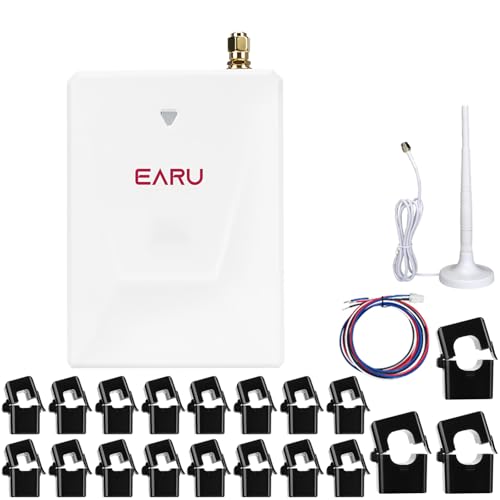
- Appliance Monitoring: Equipped with 3*200Aor300A+16*50A sensors, this device accurately monitors appliances like air conditioners, furnaces, water heaters, washers, and dryers. It supports integration…
- Energy Monitoring: Monitor real-time power consumption from anywhere to prevent costly repairs. Monitor real-time power consumption, voltag, current, power factor, help you manage and control your hom…
- Real-Time Data: Requires 2.4 GHz WiFi with internet access for phone app monitoring. Provides 2-second interval data with an accuracy of ±2%.Supports bidirectional measurement data. If the clamp-on se…
3. IotaWatt Smart Home Energy Monitor
The Local-First, Open-Source Champion
- MSRP: ~$180.00 (Base unit; CT clamps sold separately)
- Monitoring Method: Physical CT Clamps (Up to 14 channels)
- Solar Tracking: Yes (Bi-directional and highly customizable)
- Smart Home Integrations: Home Assistant, Emoncms, InfluxDB, Prometheus
=========================================
          IOTAWATT RATING
=========================================
Accuracy:       ████████████████████ [10/10]
Solar Utility:  ████████████████████ [10/10]
Software App:   ██████████░░░░░░░░░░ [5/10]
DIY Install:    ████████░░░░░░░░░░░░ [4/10]
Value:          ████████████████░░░░ [8/10]
=========================================
For the hardcore privacy advocate and local smart home architect, the IotaWatt is the gold standard. Designed and manufactured as an open-source hardware project, the IotaWatt bypasses commercial cloud networks entirely.
The IotaWatt features 14 individual inputs that accept standard, cheap, off-the-shelf CT clamps. It uses an on-board ESP8266 processor to handle sampling locally and saves all historical consumption data onto a physical MicroSD card inserted into the device.
True Data Independence
If your internet connection goes down, or if the manufacturer goes out of business, the IotaWatt continues to function perfectly. You can access its built-in web server directly via its local IP address to view highly detailed graphs.
Furthermore, IotaWatt has native integrations to export raw, high-resolution energy data to database engines like InfluxDB or Prometheus, which can then be visualized in beautiful, custom Grafana dashboards.
Solar Customization
Because the IotaWatt’s inputs are fully software-defined, you can configure them in any arrangement you like. You can monitor a split-phase solar inverter using two channels, monitor individual circuits with the remaining 12 channels, or configure the unit to track a complex multi-inverter solar array.
- Pros: Complete data privacy with zero cloud requirements; highly accurate physical tracking; open-source hardware and software; robust local integrations.
- Cons: Finding stock can be difficult; no polished companion mobile app (requires accessing a local web interface); complex setup process that is not beginner-friendly.

- WiFi Smart CT, No Cut Off Circuits: The SA1 is a WiFi smart current transformer designed for energy monitoring. It cannot cut off circuits. Only requires the 2.4GHz Wi-Fi during the pairing process
- Easy Installation and Broad Compatibility: SA1 with 80cm (31.5in) neutral and live wires for quick connection. Compatible with most U.S. household circuit panels. Supports 120VAC single phase (L 120VA…
- Flexible Placement Without Space Limits: As a window-type current transformer, the SA1 uses its sensing hole to collect energy data from any single circuit within its 31.5in range, free from space or …
4. Aeotec Home Energy Meter Gen5
The Z-Wave Local Automation Tool
- MSRP: $109.99
- Monitoring Method: Physical CT Clamps on Mains (2 clamps)
- Solar Tracking: Limited (Bi-directional mains tracking)
- Smart Home Integrations: Home Assistant, SmartThings, Hubitat (via Z-Wave protocol)
=========================================
        AEOTEC GEN5 RATING
=========================================
Accuracy:       ██████████████░░░░░░ [7/10]
Solar Utility:  ██████████░░░░░░░░░░ [5/10]
Software App:   N/A (Relies on Smart Hub)
DIY Install:    ████████████████░░░░ [8/10]
Value:          ████████████░░░░░░░░ [6/10]
=========================================
If you are building a smart home centered on Z-Wave technology rather than Wi-Fi, the Aeotec Home Energy Meter Gen5 is a reliable option.
This device does not connect to your home’s Wi-Fi network. Instead, it pairs directly with Z-Wave smart hubs like SmartThings, Hubitat, or Home Assistant via Z-Wave Plus. It features two CT clamps designed to monitor your main utility entry lines.
Automated Energy Mitigation
While the Aeotec Gen5 cannot monitor individual circuits, it is an exceptional tool for triggering local automations based on whole-home demand.
For example, you can write a local rule in Hubitat: “If whole-home consumption exceeds 8,000 Watts, temporarily turn off the smart plug controlling the pool pump to prevent peak demand charges.”
Solar Limits
Because the Aeotec Gen5 only monitors two lines, it cannot track your actual solar production in isolation unless you buy a second, separate Aeotec unit dedicated to your solar lines.
However, its mains clamps are bi-directional, meaning they will correctly report negative wattage to your Z-Wave hub when your solar panels are backfeeding the utility grid.
- Pros: Runs completely locally on a secure Z-Wave mesh network; easy to set up with existing hubs; budget-friendly whole-home baseline.
- Cons: Cannot monitor individual branch circuits; lacks a dedicated mobile app; requires a Z-Wave controller/hub to function.
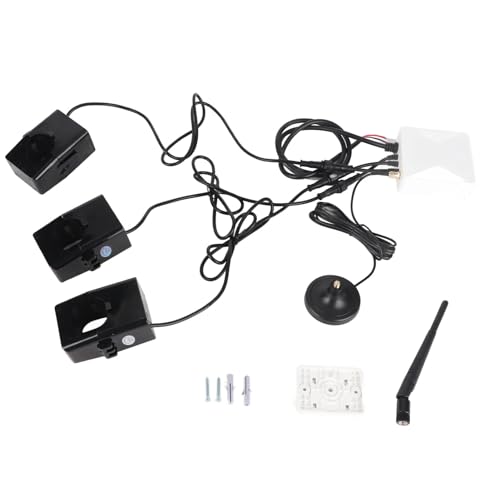
- [MULTI-FUNCTION METER] Measure voltage, current, power factor, a highly practical assistant for energy monitoring in your homes.
- [ CONNECTION] Connects to 2.4GHz for fast and accurate real-time energy usage data monitoring through mobile APP.
- [REAL-TIME ENERGY MONITORING] Monitor the actual electricity in your home anytime, anywhere to prevent expensive repairs, save energy, and costs.
5. Eyedro Home Energy Monitor
Reliable, Hardware-Driven Baseline for Business and Home
- MSRP: $129.00 (Wi-Fi Edition)
- Monitoring Method: Physical CT Clamps on Mains (2 clamps)
- Solar Tracking: Yes (Expansion modules available)
- Smart Home Integrations: Limited local API, cloud integrations
=========================================
          EYEDRO RATING
=========================================
Accuracy:       ████████████████░░░░ [8/10]
Solar Utility:  ████████████░░░░░░░░ [6/10]
Software App:   ██████████████░░░░░░ [7/10]
DIY Install:    ████████████████░░░░ [8/10]
Value:          ████████████░░░░░░░░ [6/10]
=========================================
The Eyedro Home Energy Monitor is a commercial-grade whole-house monitoring system that has been quietly serving both residential and light commercial spaces for years.
It is highly regarded for its physical reliability and robust hardware. The base residential package consists of a small hub connected via Wi-Fi or Ethernet, alongside two high-quality, solid-state CT clamps for your main utility lines.
High-Resolution Web Portal
The standout feature of the Eyedro ecosystem is its comprehensive desktop web portal, MyEyedro. While its mobile app is somewhat basic, the web dashboard offers incredibly powerful diagnostic tools. It provides detailed load-profile analysis, real-time demand charts, and predictive bill calculations that are exceptionally accurate.
Solar Scaling
Like the Aeotec, the base Eyedro model only monitors your utility mains. However, Eyedro offers dedicated expansion kits designed to monitor solar inverters directly. It presents this data clearly on its web portal, showing real-time balance metrics.
- Pros: Extremely reliable physical hardware; option for wired Ethernet connectivity (great for metal panels that block Wi-Fi); superb web-based analysis portal.
- Cons: Lacks advanced individual circuit expansion within the base unit; limited native local integration with open-source smart home systems out of the box.

- CURRENT SENSOR. Installed in the electrical panel, this Current Sensor allows you to monitor electricity usage and costs in real-time from any standard web browser when used with an existing Eyedro Ho…
- CHOICE OF CURRENT. The split core sensor is available in a variety of rated currents, ranging from 5A-200A which are compatible with all Eyedro home and business electricity monitoring products, as we…
- TRACK ENERGY USAGE. Eyedro and MyEyedro work together to measure, analyze and store your electricity usage and cost information. MyEyedro presents your electricity data and real-time electricity usage…
Responsive Product Comparison Table
| Product Name | Best Feature | Circuit-Level Accuracy | Price Range | Local Smart Home Support (No Cloud) | Solar Net-Metering Support | Ideal For |
|---|---|---|---|---|---|---|
| Emporia Vue Gen 2 | 16-Circuit Direct CT Tracking | Exceptional (Physical CTs) | $ (Budget-Friendly, ~$150) | Yes (via ESPHome flash / Home Assistant) | Outstanding (Bi-directional tracking) | Homeowners wanting absolute accuracy and deep solar integration. |
| Sense Solar Monitor | Sleek App & Minimalist Install | Moderate (Machine-learning AI) | $$$ (Premium, ~$349) | No (Cloud-dependent, limited local API) | Excellent (Dedicated solar CTs) | Users wanting an easy installation and a beautiful UI. |
| IotaWatt | Open-Source & Data Privacy | Exceptional (Physical CTs) | $$ (Mid-Range, ~$180+) | Outstanding (100% local, on-board storage) | Outstanding (Fully software-defined inputs) | Privacy advocates and advanced home automation enthusiasts. |
| Aeotec Gen5 Meter | Direct Local Z-Wave Mesh | Whole-Panel Only (Mains) | $ (Budget-Friendly, ~$110) | Outstanding (Local Z-Wave hub execution) | Basic (Bi-directional mains only) | Smart home users looking for local automation triggers. |
| Eyedro Wi-Fi Monitor | Commercial Reliability & Ethernet | Whole-Panel Only (Mains) | $$ (Mid-Range, ~$129) | Limited (Local API available) | Good (Requires solar expansion kit) | Users needing reliable web analysis and wired network connections. |
While tracking your mains and solar production is highly important, automating your heating and cooling is where you save the most money. Check out our newly published guide to the best smart thermostats with solar tracking to see how to pre-cool your home using excess daily solar production completely automatically.
Comprehensive Smart Home Energy Monitor Buying Guide
Choosing the right monitor requires looking past the brand names and examining four key technical vectors.
                  ┌───────────────────────────────┐
                  │ HOW TO CHOOSE YOUR MONITOR    │
                  └───────────────┬───────────────┘
                                  │
         ┌────────────────────────┴────────────────────────┐
         ▼                                                 ▼
┌─────────────────┐                               ┌─────────────────┐
│ ELECTRICAL PANEL│                               │ SMART HOME STACK│
├─────────────────┤                               ├─────────────────┤
│ • Split-Phase?  │                               │ • Cloud App?    │
│ • Main + Sub?   │                               │ • Local Z-Wave? │
│ • Home Assistant│                               │ • Home Assistant│
└─────────────────┘                               └─────────────────┘
1. Electrical Panel Compatibility and Physical Space
Before ordering a monitor, look inside your electrical service panel.
- Physical Space: A 16-channel monitor like the Emporia Vue requires placing 18 individual wires and current transformers inside the steel enclosure. If your panel is crowded, has very short wire runs, or is packed with thick solid-core copper wires, you will have a very difficult time routing the CT lines. In compact panels, a dual-clamp monitor (like Sense, Aeotec, or Eyedro) is much more practical.
- Split-Phase (US) vs. Three-Phase (Europe/Australia): Standard North American residential service is split-phase 120V/240V, which requires two main CT clamps to read whole-house power. European and Australian homes frequently use three-phase systems, which require three main CT clamps. Ensure the model you order supports your region’s grid standard.
2. Smart Home Platform Integration
An energy monitor shouldn’t just be an information screen; it should be an active participant in your smart home.
- If you use Home Assistant: Look for systems with native local APIs or ESPHome support (Emporia flashed, IotaWatt, or Aeotec). This allows you to feed high-resolution, real-time power data straight into the native Home Assistant Energy Dashboard.
- If you use SmartThings or Hubitat: Look for Z-Wave based monitors (Aeotec Gen5), which execute automations completely locally within your hub’s radio range, bypassing cloud delays and internet outages.
3. Cloud Dependency vs. Data Privacy
Do you care if a commercial company knows exactly when you run your dishwasher, wake up, or charge your vehicle?
- Cloud-Based Monitors (Emporia, Sense) offer convenient, beautifully polished mobile apps and remote access without complex router port-forwarding. However, they subject your data to potential server downtime or company insolvency.
- Local-First Monitors (IotaWatt, open-source flashed Emporia) offer complete security and permanence. Your data remains in your physical possession, but you are responsible for managing database backups and remote network access.
4. Solar Net-Metering Architecture
If you have a grid-tied solar system, your monitor must support bi-directional tracking.
Furthermore, you must identify how your solar inverter feeds power back into your home:
* Line-Side Tap: If your solar panels tap into your electrical panel on the grid side of your main breaker, you will need a monitor that can programmatically subtract solar generation from main power flows.
* Breaker Feed: If your solar inverter connects directly to a standard double-pole breaker at the bottom of your busbar, physical CT clamps must be placed on those specific solar lines to read generation accurately.
Safety & Installation: Can You Install These Yourself?
WARNING: Installing a smart home energy monitor requires opening the dead-front cover of your main electrical panel. Inside, exposed metal busbars and main service terminals remain fully energized with lethal current—even when the main breaker is switched to the “OFF” position. If you feel any hesitation, call a certified, licensed electrician. Your life is worth far more than an electrician’s fee.
                       [⚡ DANGER ZONE ⚡]
             ┌────────────────────────────────────┐
             │       Main Service Terminals       │
             │   (ALWAYS ENERGIZED - DO NOT TOUCH)│
             └─────────────────┬──────────────────┘
                               │
                ┌──────────────┴──────────────┐
                │    [Main 200A Breaker]      │
                └──────────────┬──────────────┘
                               │
            ┌──────────────────┴──────────────────┐
            │         Exposed Metal Busbars       │
            │ (Switched OFF when main is open, but│
            │  ALWAYS treat as live and lethal!)  │
            └─────────────────────────────────────┘
If you are a competent, confident DIYer, a self-installation is entirely achievable by following strict safety protocols.
Step-by-Step DIY Safety Protocol
- Wear Protective Gear: Put on thick rubber-soled shoes, safety glasses, and non-conductive safety gloves.
- Clear the Panel Workspace: Ensure the floor beneath your panel is completely dry. Stand on a rubber safety mat or dry wooden platform if possible.
- Shut Off the Main Breaker: Flip the massive main breaker at the top of your panel to the “OFF” position. This cuts power to all branch circuit breakers inside the panel. Note: The main entry terminals at the very top of the panel remain live and highly dangerous! Keep your tools far away from them.
- Verify with a Non-Contact Voltage Tester: Use a reliable non-contact voltage pen tester on several branch circuits to verify that no voltage is present before touching any internal wires.
- Mount the Energy Hub: Place the smart monitor’s hub inside or beside your panel. Run its Wi-Fi antenna through a knock-out hole to ensure a strong signal through the metal enclosure.
- Clip on the CT Clamps: Snap the CT clamps around the targeted insulated wires. Make sure the arrow on each clamp points in the correct direction (toward the breakers for consumption circuits; toward the inverter/grid breaker for solar lines).
- Connect the Voltage Taps: Connect the monitor’s power lines to a dedicated dual-pole breaker to provide the system with accurate 240V voltage reference signals.
- Re-verify and Close Up: Ensure no wires or clamps are touching the exposed copper busbars. Replace the panel’s dead-front steel cover securely before flipping the main breaker back to the “ON” position.
Maintenance Tips & Common Mistakes to Avoid
- Reversing CT Clamps: The absolute most common error during installation is snapping a CT clamp onto a wire backward. If a clamp is flipped, its bi-directional phasing will be inverted. The monitor will register your solar export as massive house consumption or your main power usage as negative energy generation. Always look for the directional arrow printed on the plastic clamp body before closing it.
- Wi-Fi Signal Blockage: Electrical service panels are constructed of thick sheet steel, which acts as a highly effective Faraday cage. If your home’s Wi-Fi router is on the other side of the house, placing the energy monitor inside the steel panel will completely sever its network connection. You must run the monitor’s external dipole antenna through a standard knockout hole on the side of the panel, mounting the plastic antenna housing completely outside the metal box.
- Overcrowded Wire Runs: It is highly tempting to pack secondary wires and excess CT cabling into the gutter spaces along the sides of your panel. Overcrowded panels run hotter and violate local electrical safety codes. Use small, non-conductive zip ties to neatly group and bundle your CT wires along the corners of the panel casing, keeping them completely clear of the exposed copper busbars.
Frequently Asked Questions (FAQs)
Q1: Do smart home energy monitors work with 100% solar net-metering?
Yes. To track net metering, you must choose a monitor with bi-directional CT clamps (such as the Emporia Vue or Sense Solar). The monitor reads current phase angles to calculate when you are importing power from the utility versus when your solar array is backfeeding excess power into the grid.
Q2: Is a professional electrician legally required to install these?
Legislation varies by municipality. In most jurisdictions in the United States and Canada, a homeowner is legally permitted to perform electrical work on their own single-family residence. However, if you live in an apartment, rental property, or a city with strict local electrical codes, you may be legally required to hire a licensed electrician. Always check your local building codes.
Q3: What is the difference between split-phase and three-phase panels?
Most residential homes in North America use split-phase electricity, which consists of two 120V live legs that combine to supply 240V for heavy appliances. This setup requires two main CT clamps to monitor total power. In Europe, South America, and Australia, residential panels are frequently three-phase, which consists of three active phase lines and requires three main CT clamps for whole-home tracking.
Q4: Can smart home energy monitors work completely offline without internet?
Yes, but only specific models. Standard consumer monitors like the Sense or stock Emporia Vue are heavily cloud-reliant and will stop tracking if your internet connection goes down. If you want 100% offline, local-first operation, you must choose the IotaWatt or flash an Emporia Vue Gen 2 with open-source ESPHome firmware.
Q5: How much money can you actually save with a smart energy monitor?
On average, homeowners save between 10% and 25% on their monthly electricity bills within the first year of installing an energy monitor. These savings are achieved by identifying hidden “vampire loads” (devices that consume high idle power when turned off), discovering failing appliances drawing abnormal power, and using real-time data to shift heavy electricity usage (like laundry or EV charging) to low-cost, off-peak hours under Time-of-Use (TOU) utility rates.
Q6: Do smart home energy monitors require a monthly subscription fee?
Most of the market-leading monitors (including the Emporia Vue, IotaWatt, and Aeotec) do not require any monthly or annual subscriptions. They provide full access to their applications and data clouds completely free of charge. However, some commercial monitors or specific third-party integrations may charge nominal fees for historical raw data exports or specialized cloud reporting services.

Pingback: Maximizing Off-Grid Power: How Bifacial And Flexible Solar Panels Change The Game - GADGET EARTH
Pingback: How To Configure A Home Assistant Energy Dashboard (Step-by-Step Guide) - GADGET EARTH